Dino Run
▶ Play NowSimilar games




About this game
Escape extinction in PixelJAM's fast pixel-art dinosaur runner, with movement, jumps, ducks, collectible eggs and a boost.
An extinction chase rather than an endless tunnel
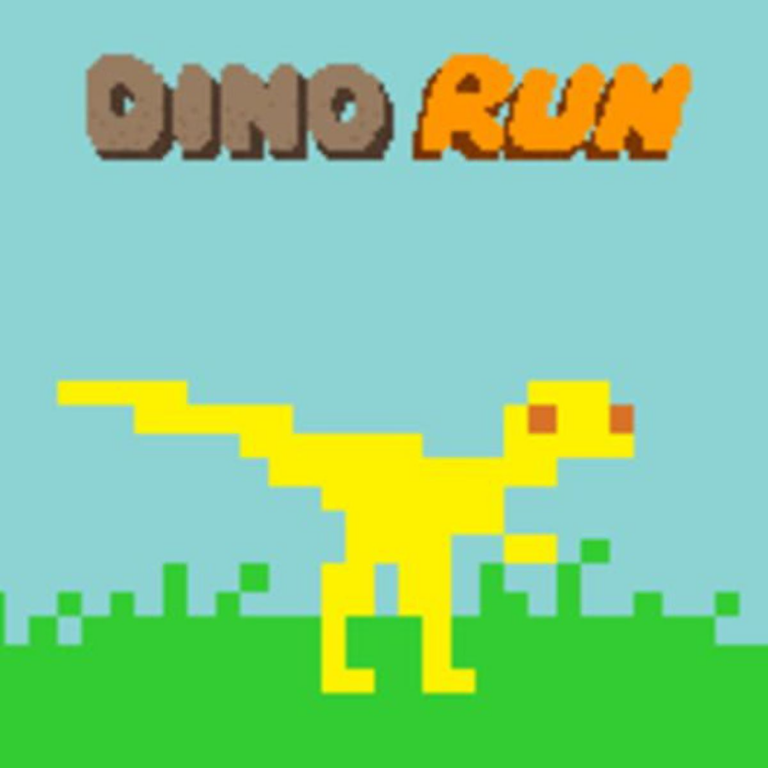
Dino Run is a fast pixel-art platform runner developed by PixelJAM Games. You control a small dinosaur while disaster spreads across a prehistoric landscape. The goal is to keep moving, leap across broken terrain and stay ahead of the advancing danger. Unlike Run 3, where running around the sides of a floating tunnel changes gravity, Dino Run gives you direct horizontal movement and more freedom to explore a route. That freedom creates another challenge: you have to judge when to slow down, jump, duck or dash instead of focusing on one repeated input.
This makes Dino Run a useful choice when you want an escape game with a little more control over your character. There is no need to master a complicated battle interface, but running blindly can still get you caught. Learn what each key does, watch the terrain ahead and make survival your first objective. A successful early run teaches you more than a hurried attempt to gather every collectible on the course.
Dino Run controls: arrows, ducking and Shift
Use the Left and Right arrow keys to guide the dinosaur, the Up arrow to jump and the Down arrow to duck. The official game instructions also list Shift for a speed dash, available when the dinosaur has the appropriate boost. Start in an open section and practise these inputs one at a time. Pay attention to how far the dinosaur travels during a jump; the space needed to land safely may be greater than it first appears.
Duck when a hazard calls for a lower profile, not as a substitute for planning a jump. If you are already near the edge of a pit, pressing several keys at once may hide the real reason you fell. Try to identify one movement error per run. Dino Run is primarily a keyboard-focused game on its published Poki listing, so touch controls should not be assumed on every phone or tablet.
Read slopes, gaps and other dinosaurs
The moving landscape demands more attention than a flat obstacle track. Look for a safe landing place before pressing Up. You might clear the first hazard only to enter a pit immediately afterward, so think about the space beyond each jump. When the route narrows, avoid making a dash that increases your speed before you have seen what is ahead. Staying just ahead of the danger is often better than moving as fast as possible into unknown terrain.
Some creatures and objects can be crossed or interacted with as you run. The safest response depends on the situation shown in the current game. Watch for changes in the ground and the location of approaching threats. If you repeatedly fail in the same stretch, use your next attempt to study that one section rather than chasing a new score. A small change in jump timing or landing position can make a difficult route manageable.
Collect eggs without losing the race
Eggs give you an optional reason to explore the route instead of treating the game as a pure escape sprint. The official listing describes eggs, super eggs and DNA connected with progression and improvements. They can be worth collecting, but they are not always worth an immediate risk. A collectible positioned near a large gap may distract you from the next safe platform, particularly when the disaster is closing in from behind.
Separate two goals: surviving the present section and building resources for later progress. Collect items along the safer path first. After you understand the terrain, try more demanding routes where the reward seems worthwhile. If you miss an egg, do not automatically turn into a dangerous area to recover it. The game rewards quick decisions, and sometimes passing up a collectible is the decision that keeps your attempt alive.
How to make a dash useful
The Shift control is most helpful when you understand the distance it will cover. According to PixelJAM’s instructions, the speed boost becomes available when the character is in the right state, signalled by sparks at its feet. Test that condition before relying on the ability to escape a hazard. Using extra speed in an unfamiliar area can reduce reaction time and make it harder to judge the edge of a platform.
A practical approach is to establish a steady route with ordinary movement, then add a dash where you already know the ground is safe. If the character crashes immediately after boosting, ask whether the problem was speed, a missed jump or a hazard you did not see. Improving one part of the sequence is more reliable than repeatedly pressing Shift and hoping to outrun every obstacle.
Play a different running challenge next
Dino Run puts escape and exploration inside a side-view environment. If you prefer rotating space tunnels and linked levels, return to Run 3. OvO Classic emphasizes precise jumps, slides and wall movement, while Level Devil adds unexpected traps and disappearing platforms. For three-dimensional reflex tests, try Tunnel Rush or Tunnel Rush 2. Temple Run 2 instead uses lane changes, turns and a continuous chase.
Compare the alternatives in our Gravity & Platform Games and Endless Running Games collections. The All Games directory shows the seven current titles. Dino Run itself is provided by an external game runtime; availability and controls may differ if its publisher updates the build. The original source listing is Dino Run on Poki.
Dino Run unblocked: what browser access means
Players sometimes use “unblocked” to mean a game that opens in a browser without a separate installation. That does not mean a game can bypass school, workplace or network restrictions. This website uses an externally hosted player, so loading depends on the provider and the permissions of your device and network. If a player displays a restriction message, respect that restriction rather than trying to defeat it. For ordinary browser play, use the on-page controls and check the original listing if the external source becomes unavailable.
FAQ
Who developed Dino Run?
Dino Run was created by PixelJAM Games, as credited on the original Poki listing.
How do I control my dinosaur?
Use Left and Right arrows to move, Up to jump, Down to duck, and Shift to dash when the boost is available.
What is the goal in Dino Run?
Stay ahead of the advancing disaster while navigating the terrain, avoiding dangerous obstacles and collecting useful resources.
Is Dino Run the same as Run 3?
No. Dino Run is a side-view dinosaur escape game with direct movement and collectibles, whereas Run 3 takes place in a rotating space tunnel.